Scoring you can see through
Your own rules and the AI work together, and every point traces back to the line that produced it.
Read business cards, handwritten forms and voice notes with AI in seconds. Everything is prepared in your own format; take it as Excel or CSV and import it into your CRM.
Built for companies that exhibit internationally
You will have hundreds of conversations in three days. Collecting cards is the easy part — remembering who was a serious buyer and who was only browsing is not. The real loss does not happen at the show; it happens after it.
You are back from a trade show with six business cards. Process each one and watch the right-hand side fill up — this is exactly what the real app does.
Six conversations, ranked by priority. In real life this screen fills while you are still at the booth.
Designed to be used on a phone, with one hand, in a noisy hall.
Take the photo and watch name, title, company, phone, email and country split into separate fields. Not just printed cards — it reads the visitor forms filled in by hand at your stand, handwriting included.
"Two containers in March, wants samples, price sensitive." Speak the moment the conversation ends; the audio becomes text, and the product, quantity and timing land in the note.
Your own rules and the AI work together, and every point traces back to the line that produced it.
HS code, capacity, payment terms… defined from the panel without a line of code, and existing records stay intact.
Everyone at the stand captures their own conversations; the manager sees the whole show on one screen.
When you come home with 400 records, the length of the list is not the point — knowing where to start calling is. Filter by event, status, budget band, decision role, product group and score range all at once.
If the screen says "16 records match", your CSV has 16 records. Excel reports come out filtered by date range, event, status, tier and country.
A generic reader sees the letters on a card. Capleed knows what you sell, so it understands what it just read.
What you manufacture, which brands you work with, which markets you sell into and the shorthand your team uses — all defined once. Every card read and every score refers back to it.
Generic card scanners pull out a name and a phone number. They do not know your product, your brand, or which visitor is actually a buyer — that call is still yours to make.
Tap through the tabs and see each screen as it really is.
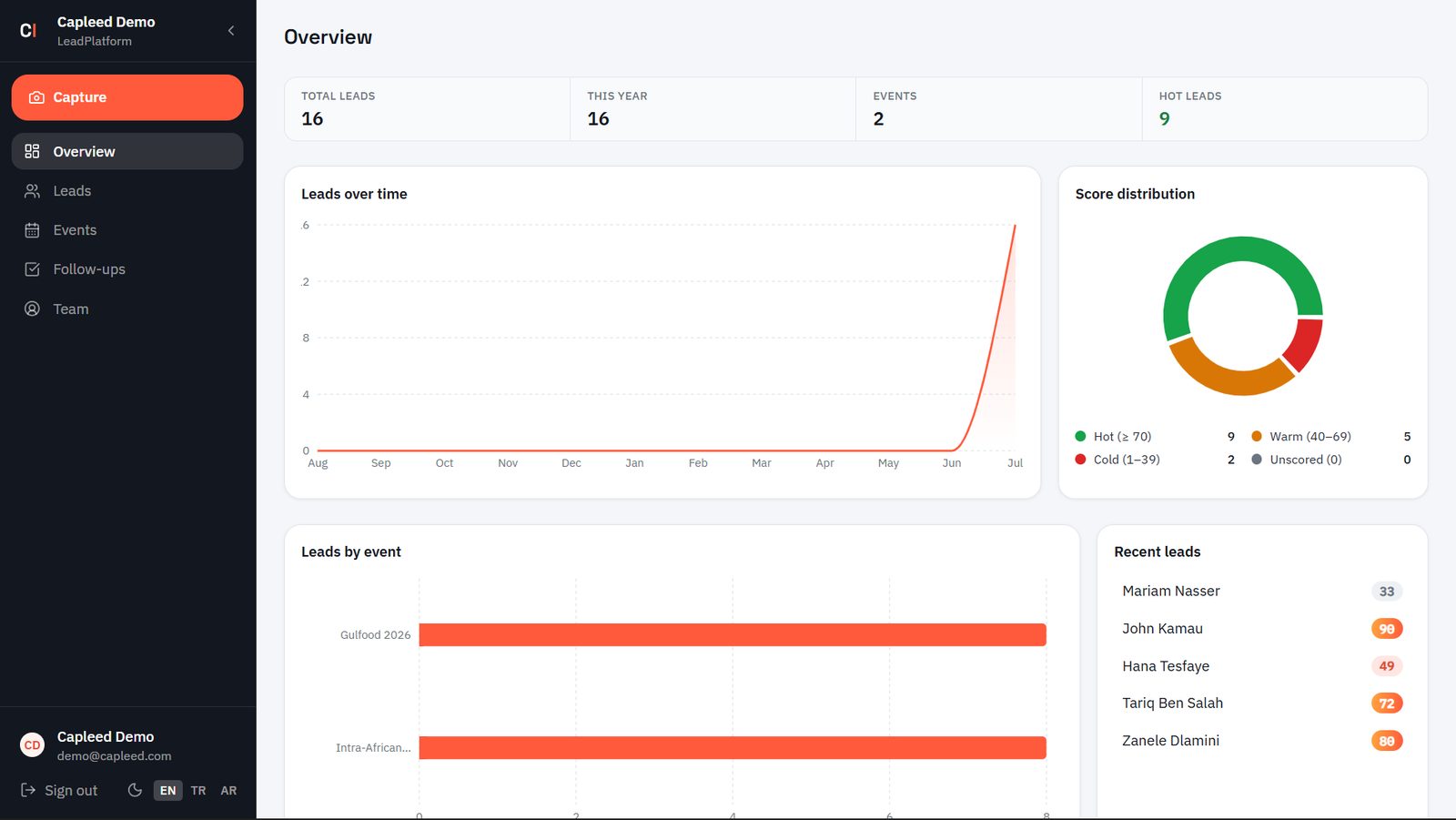
Total leads, this year, number of events and hot leads — along the top strip.
Hot ≥70, warm 40–69, cold 1–39 and unscored, in a donut chart.
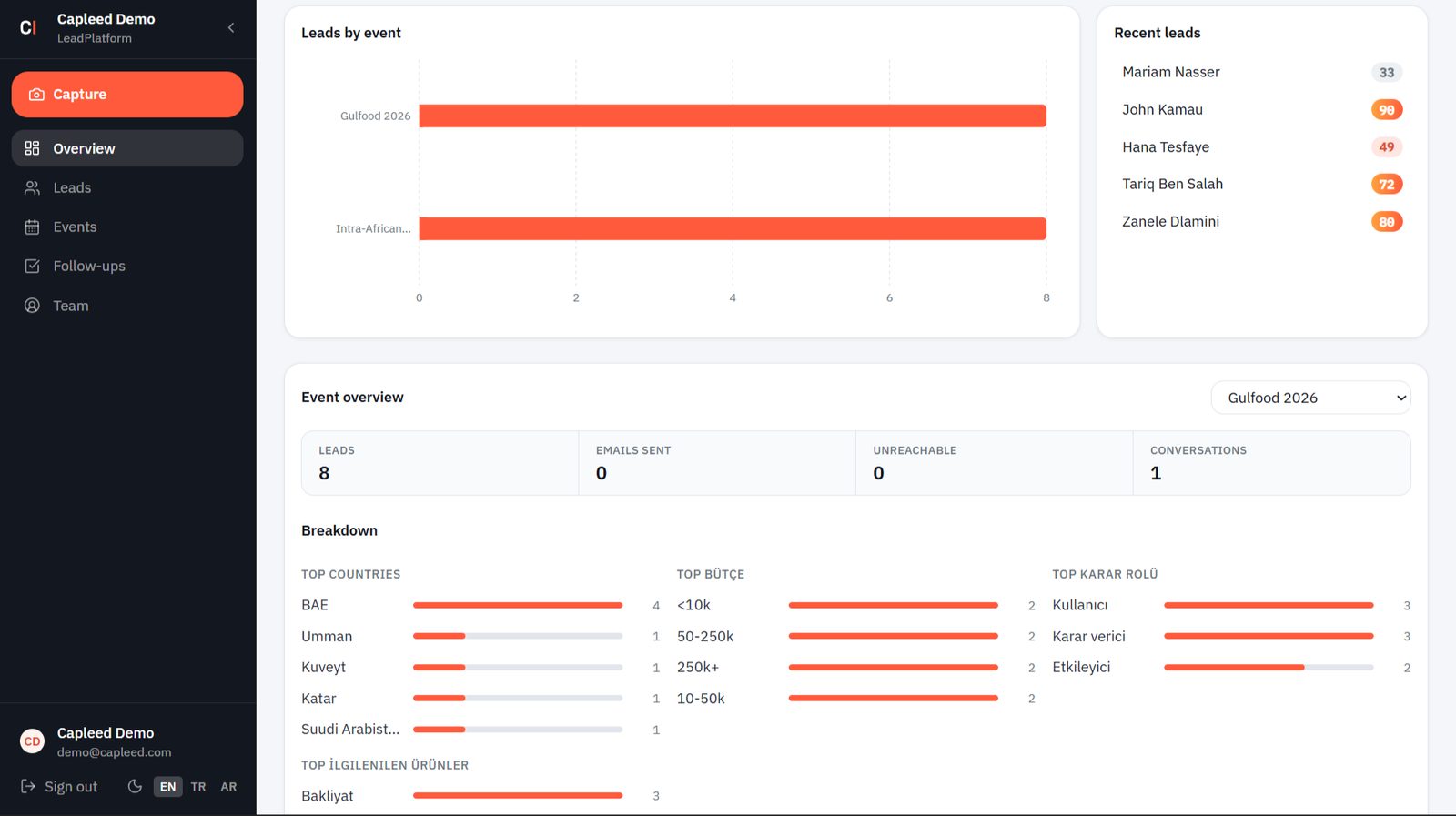
Comparison bars per event, with the newest records and their scores beside them.
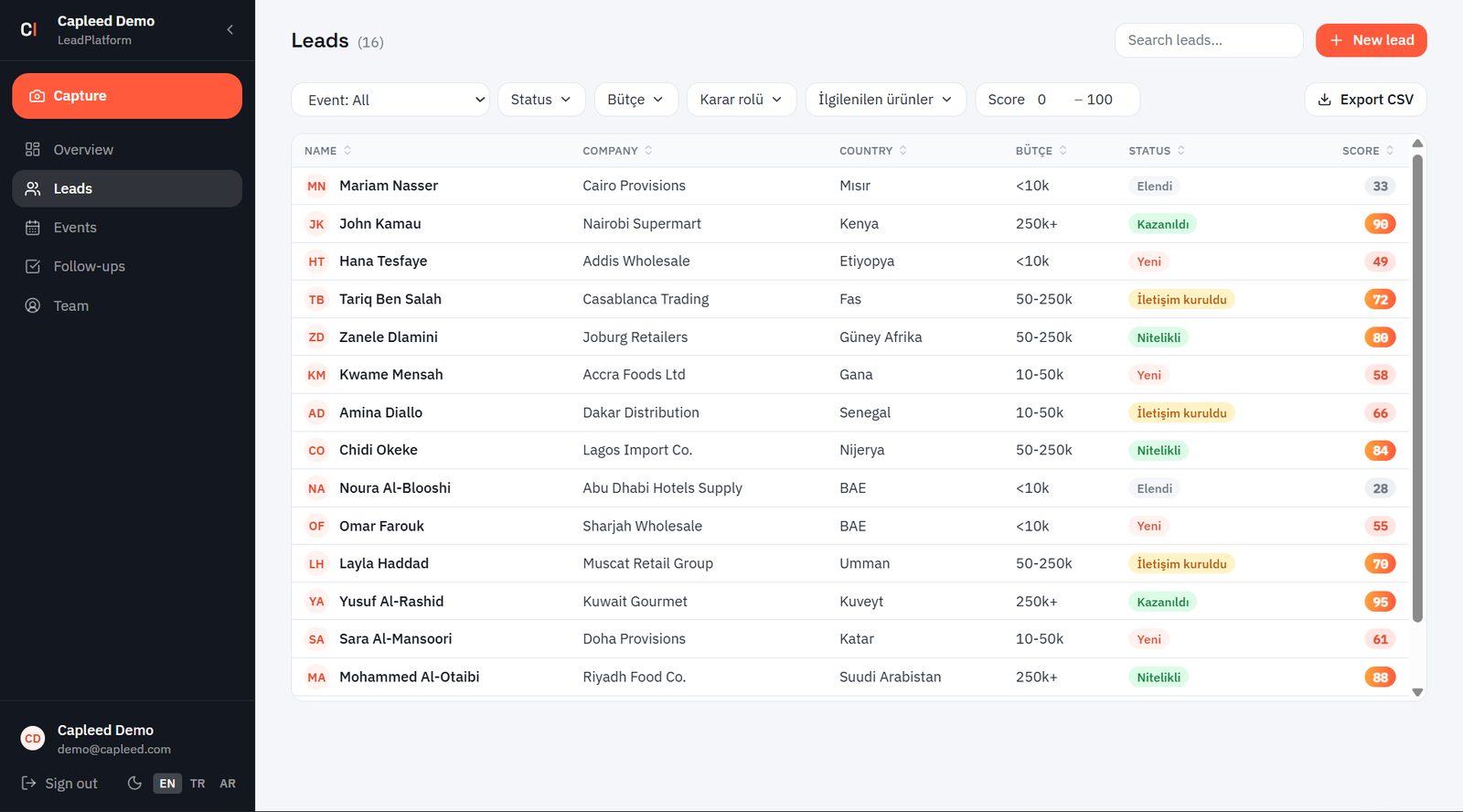
Event, status, budget band, decision role and product group of interest; search runs alongside them.
Set a floor and a ceiling between 0–100: "above 70, decision-maker, 250k+" comes out in one move.
You choose which field appears where; sorting comes off the header.
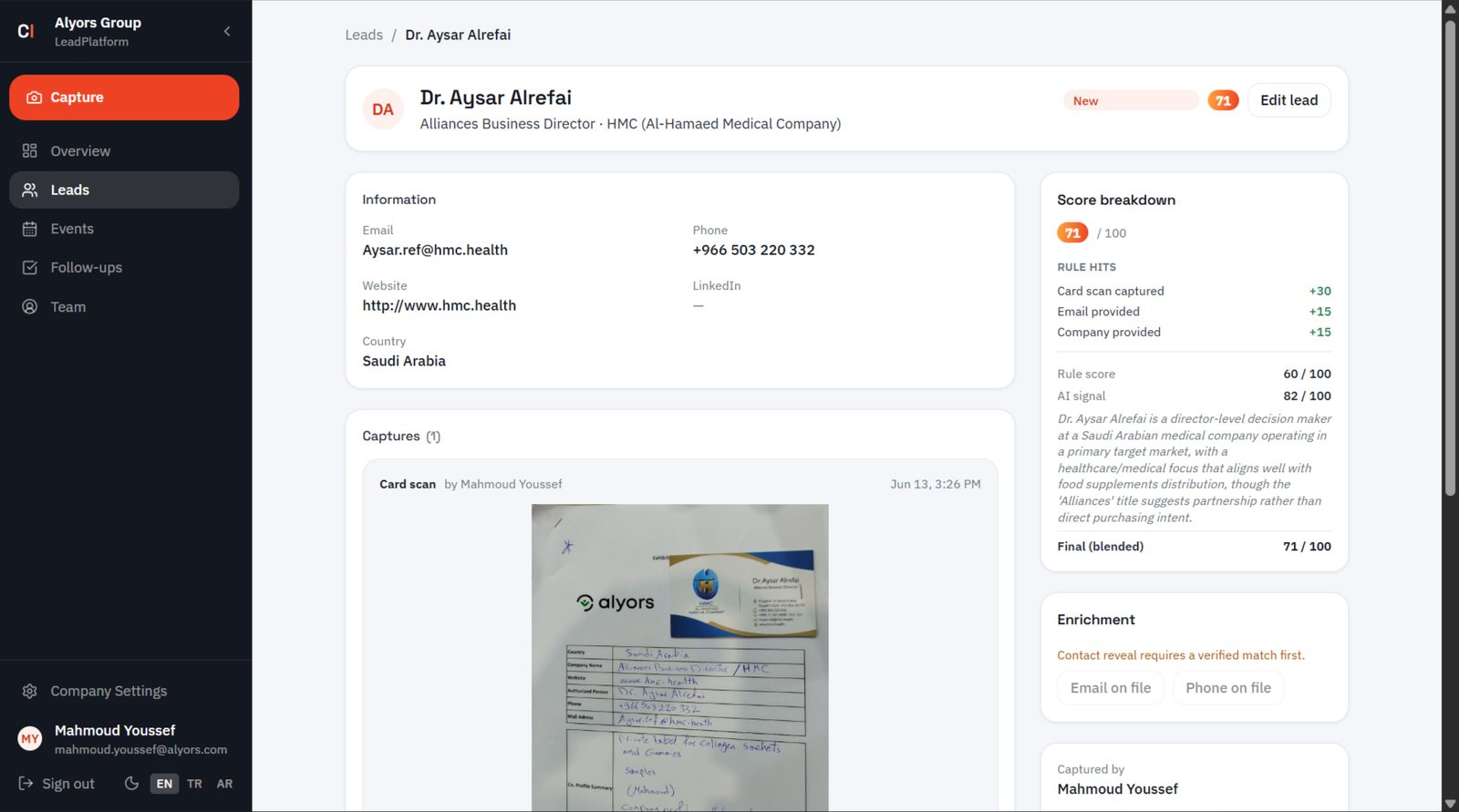
If the AI misreads a field, you can always go back to the original photo.
Which rule gave how many points, what the AI gave and why — with its reasoning written out.
Who entered the record and at what time stays on it. The "who was this again" argument ends.
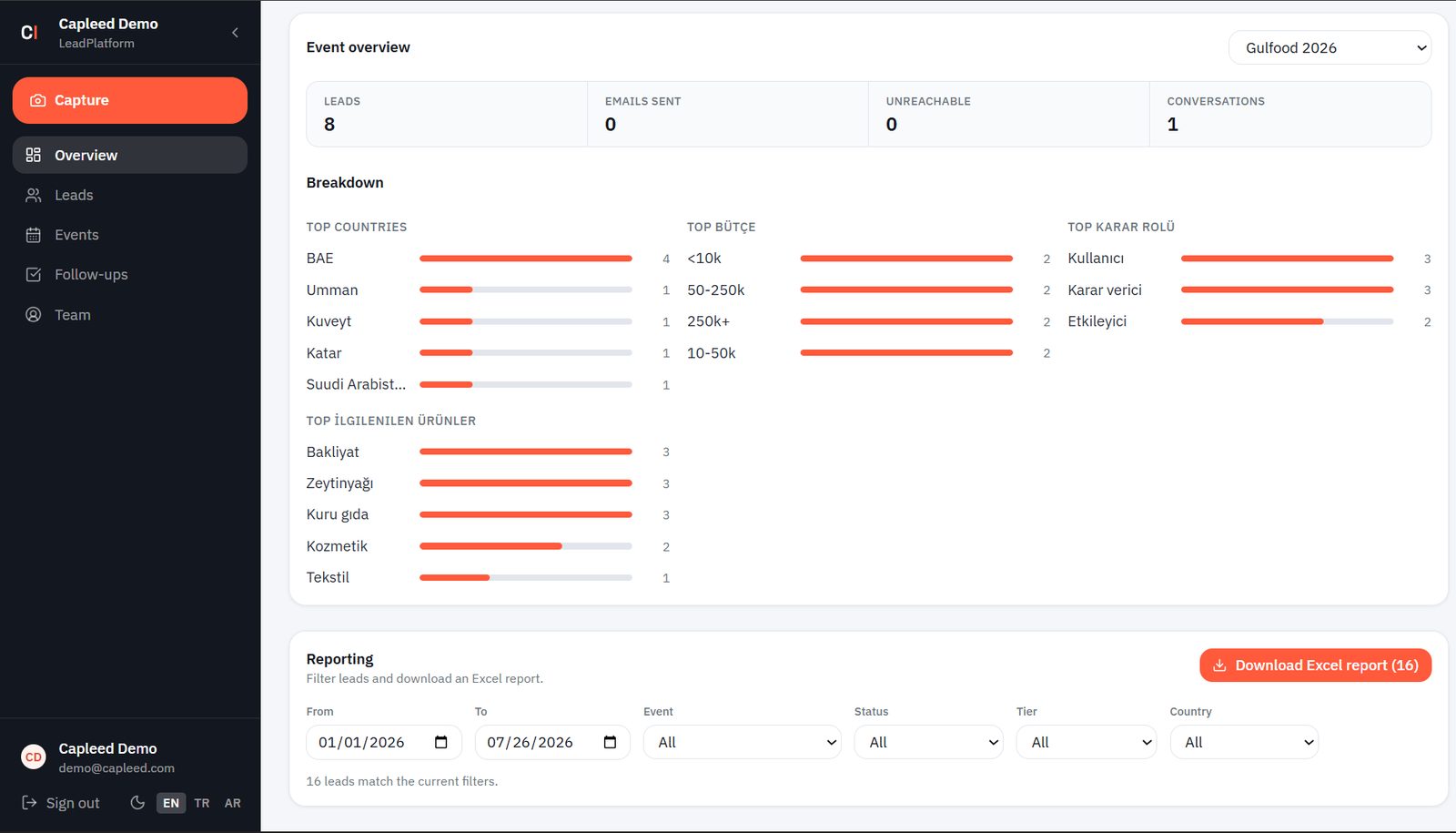
The countries sending the most leads, budget bands (<10k – 250k+) and the decision-role split.
Which product group drew the most questions — build the next stand around it.
The numbers you will defend the exhibition budget with, without stitching anything together in Excel.
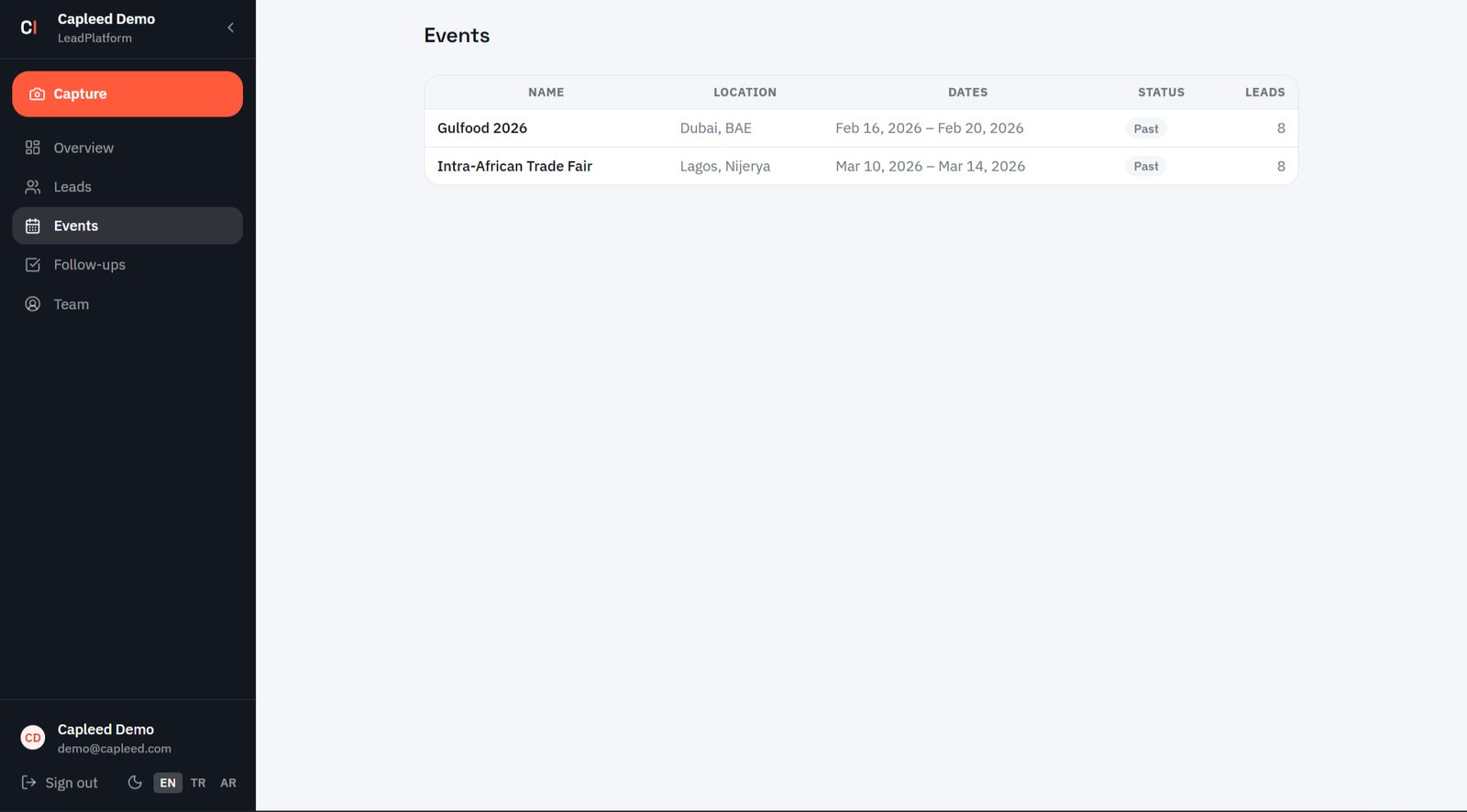
Name, city, date range, past or upcoming status and the number of leads it produced.
Open tasks sorted by due date; switch between "all" and "mine".
A lead from the Istanbul show stays apart from the Düsseldorf ones; every record carries the show it came from.
Add your own fields and decide what shows up in the list.
Which behaviour is worth how much; what the steps of your pipeline are called.
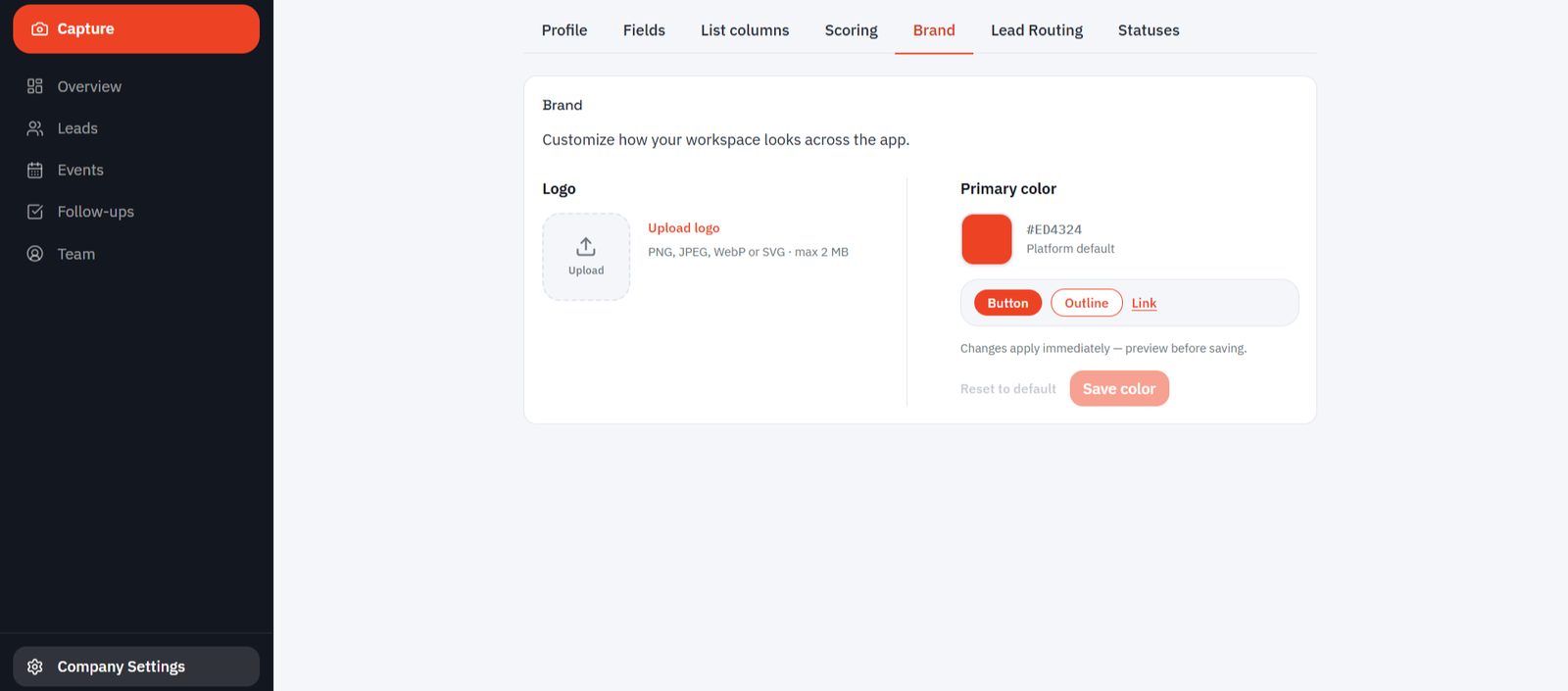
Logo and primary color; buttons, borders and links preview instantly. White label ready.
From setup to the post-show report, slide by slide.
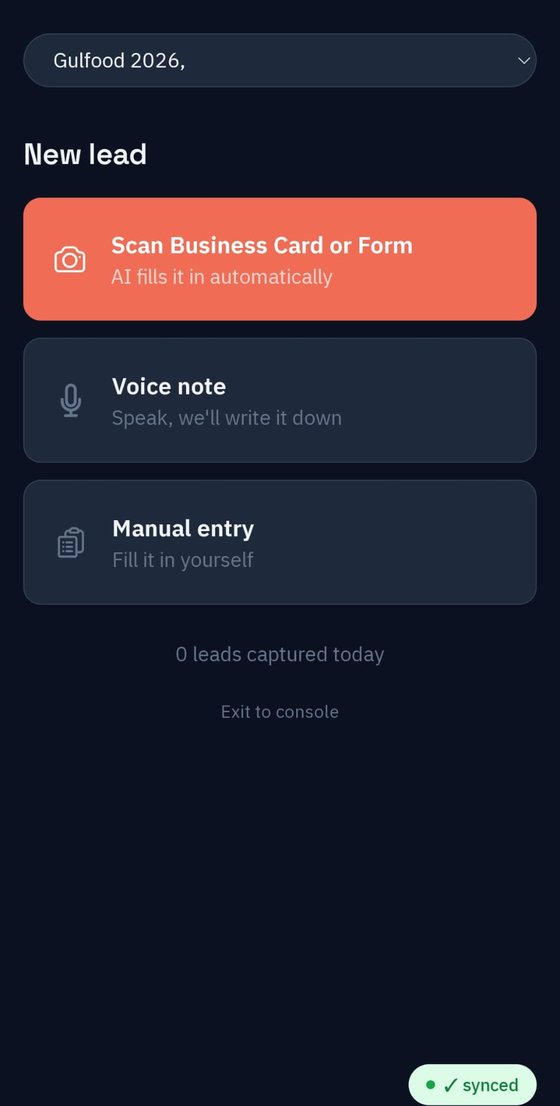
The app opens with a single question: how do you want to capture this visitor? All three routes are one tap away, and none of them traps you on a screen.
Take the photo and let the AI fill the fields. Handwritten visitor forms are read too.
Speak, and the system writes it down. Product, quantity and timing land in the note.
No card to hand, or you just want to jot a name down quickly — the classic form.
Capleed does not hand you a black-box number. Flip the switches below — the rule score, the AI signal and the blended result all move live.
Blended final score, out of 100
The details nobody asks about in a demo, and everybody needs halfway through a show.
The record is held on the phone and uploads itself when the connection returns. A sync badge shows the status on screen.
Remembered per user; light in the morning, dark in the evening.
Under every lead you see who entered it and at what time.
If a field is misread you can go back to the original photo; it stays until the record is deleted.
A lead from the Istanbul show never mixes with the Düsseldorf ones; every record carries the show it came from.
Enrichment runs on licensed B2B data sources, and no email or phone is revealed until the match is verified. (Growth and Enterprise plans)
Your team types its notes at the booth in Turkish, English or Arabic; Capleed translates all of it into your language and your terminology and collects it in one list. Pick Arabic and the interface does not just translate — it flips direction, so you can hand the same account to an overseas distributor or a local rep. Try the switches on the right.
Lead sorted by score
The record is finished before the visitor leaves your stand. The rest is automatic.
One frame. The fields fill; if something is misread you tap and fix it.
"Two containers in March, wants samples, price sensitive." The system writes the rest.
Prospects arrive sorted by score. You can call the top of the list the same night.
Same show, same team, same business cards — the only difference is what you are holding when you get back.
Hours of Excel work are already done while the conversation is still happening.
Card, handwritten form and voice note merge into one record; fewer fields stay empty.
The list is ready that evening; you can call while the visitor still remembers you.
The 3–10 people at the stand reach the same records instantly; who captured what is clear.
The record is reviewed in seconds; the original photo stays attached to it.
The same flow works for congresses, distributor meetings and field visits.
Manufacturers exhibiting at international trade shows. A separate record per show, with reporting by country and budget.
The 3–10 people working one stand. Who spoke to which visitor is on the record, and tasks are assigned.
White-label setup with your own logo and color for anyone managing several client companies.
Setup, field definitions and scoring rules are on us; in return, your feedback shapes the product. We show no invented testimonials and no customer logos — when there is something to show, it will be here.
Built in Istanbul by a team that came out of foreign trade.
No self-serve signup. We open the account and define your fields and scoring rules together with you.
Companies building out their show calendar
Exporters with a regular show calendar
Consultants and multi-brand groups
Companies attending one show a year
Teams working one show with a large stand
The price depends on the size of the show and your team. If you move to an annual subscription for your second show, what you paid is credited against it.
Pricing is quoted in USD; setup and training are included.
The record is held on the phone and uploads itself as soon as the connection returns. The sync badge on screen shows the status, and you never have to wait during a conversation.
No. It also reads the handwritten forms visitors fill in at your stand and splits them into fields. The original photo is kept on the record, so you can always check it afterwards.
Yes. Every lead detail shows the breakdown: which rule gave how many points, what the AI gave and why. You change the rules yourself in settings — the lab above runs exactly this logic.
Yes. We define the fields your sector needs during setup — product group, HS code, estimated volume, payment terms and so on. More can be added later, and your existing records are not affected.
No, we handle the setup. Before the show we run a session with your team and define your fields, statuses and scoring rules together. You walk into the hall ready.
Every company sits in its own separate space, and data is encrypted in transit and at rest. Data processing terms and retention periods are written into the contract annex. You can download a full copy as CSV or Excel at any time.
In a twenty-minute call we listen to how your show runs, then demo Capleed live with your own products and your own fields.
We handle the setup. Before the show we run a session with your team and define your fields, statuses and scoring rules together.
We will get back to you shortly to schedule the demo. Keep an eye on your inbox in the meantime.